
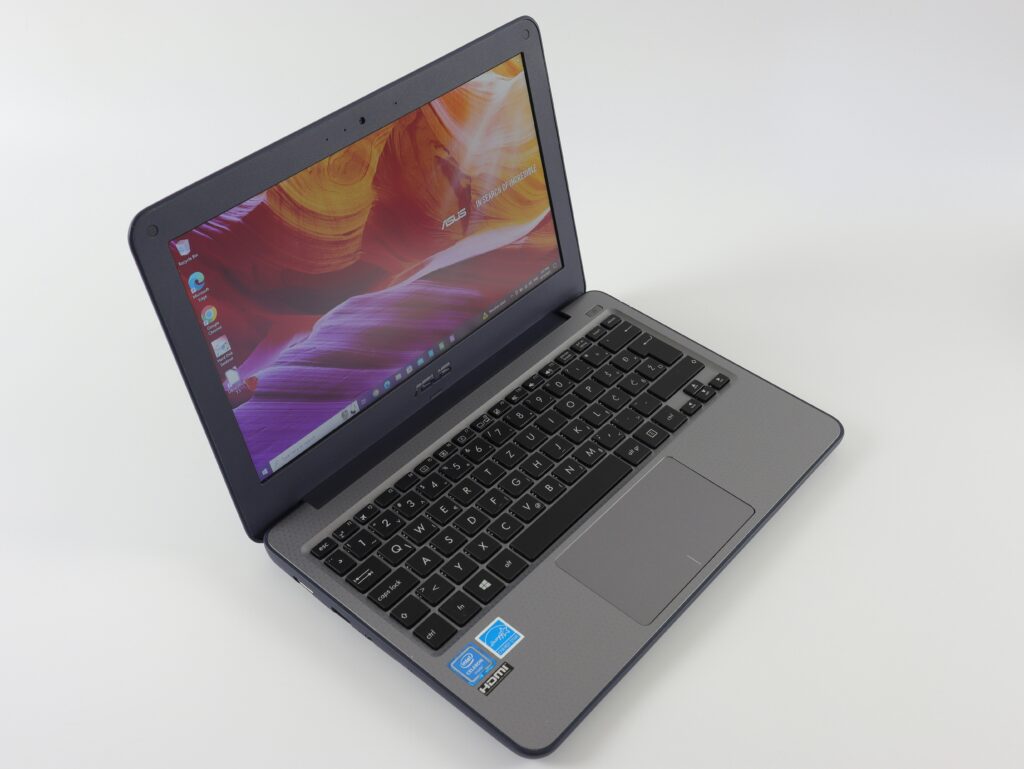
An old laptop can still be useful to another person even after it no longer meets its original owner’s needs. A machine that feels slow for demanding work may remain perfectly suitable for web browsing, documents, schoolwork, or basic home use. Before deciding that an aging laptop has little value, owners should examine its specifications, physical condition, age, and software state.
Preparation also matters. Personal files, saved passwords, browser data, account credentials, and other information can remain on a laptop long after the owner has stopped using it. A careful backup and secure reset protects that information while making the device easier to evaluate.
Start With the Laptop’s Real Condition and Specifications
The first step is to identify exactly what the laptop contains. Processor generation, RAM, storage type and capacity, graphics hardware, display resolution, screen size, operating system compatibility, and battery condition all influence its usefulness in the used market. A laptop with a relatively recent processor and solid-state storage may remain attractive even if the exterior shows moderate wear.
Age matters because hardware becomes less competitive as newer processors and platforms appear. An older machine may still function perfectly, but buyers compare it with other used options and often expect a lower price when support, performance, or battery life is limited.
Physical condition should be assessed separately from specifications. A few scratches on the lid are usually less concerning than a cracked display, broken hinge, damaged charging port, or keyboard with missing keys. Battery behavior deserves attention too. A laptop that runs for only a short period away from its charger may be less appealing than one with dependable battery life.
Owners should check the machine before pricing it. Testing the keyboard, trackpad, speakers, camera, Wi-Fi, ports, charger, display, and storage helps identify problems that could affect the final offer.
Clean the Laptop Before Showing It to a Buyer
A clean computer is easier to inspect. Dust, fingerprints, food residue, and dirt around the keyboard can make a working laptop appear poorly maintained. Exterior cleaning should be gentle, especially around ports, vents, speakers, and the display.
The cooling system deserves particular attention. Dust buildup around vents can restrict airflow and contribute to heat problems, although owners should avoid opening the chassis unless they know how to do so safely. Compressed air can be useful in appropriate circumstances, but it should be used according to the manufacturer’s guidance.
The display should be cleaned with a suitable microfiber cloth and an appropriate screen-cleaning method. Spraying liquid directly onto the panel can allow moisture to enter sensitive areas. A careful surface cleaning is usually enough.
Accessories can affect how complete the sale appears. The original charger is especially important because a buyer needs a compatible power supply. A laptop bag, docking accessory, original box, or documentation can also be included if available.
Before selling, owners should record the exact model and specifications. A clear description makes comparison easier and reduces uncertainty during valuation.
Protect Personal Data Before the Laptop Leaves Home
Data protection should come before resale. A laptop can contain years of photographs, documents, emails, saved browser passwords, financial information, work files, and authentication credentials. Deleting a few visible folders is not an adequate replacement for a proper reset process.
The owner should first create a verified backup of anything worth keeping. Important files should be opened from the backup when practical, because a backup that was never checked can fail when it is needed.
Next, accounts should be removed according to the operating system’s recommended process. Cloud storage, email accounts, browser profiles, device-management accounts, and other services should be disconnected. Any activation or ownership lock should also be addressed.
A factory reset or secure operating-system reinstallation can then prepare the machine for its next user. The exact procedure differs between Windows, macOS, and other systems. Business-managed computers may require additional steps because organizational controls can remain attached to the device.
Owners should also remove memory cards, USB drives, and other personal storage. If the laptop contains highly sensitive information, specialized secure-erasure procedures may be appropriate.
The goal is simple: the next owner should receive a usable computer without receiving access to the previous owner’s digital life.
Compare a Laptop Trade-In With Other Selling Routes
A laptop trade-in can be convenient for owners who want a relatively straightforward transaction. Instead of creating a private listing, taking photographs, negotiating with multiple buyers, and arranging shipping, the owner can have the device evaluated and receive an offer based on its condition and specifications.
The phrase laptop trade-in can describe different programs, so the terms should be checked carefully. Some trade-in programs provide credit toward another purchase, while others may offer cash or another form of payment. The quoted amount can also depend on whether the laptop meets specific condition requirements.
Private resale may produce a higher gross price in some cases because the seller is dealing directly with the final buyer. However, that approach requires more work and can involve negotiation, shipping, platform fees, payment concerns, and potential disputes.
Recycling is different again. A laptop with severe damage, missing essential components, or very little remaining market demand may be more appropriate for responsible electronics recycling. Recycling does not necessarily provide meaningful financial return, but it prevents unwanted hardware from being discarded improperly.
A practical comparison should therefore consider the final amount received, time required, transaction risk, and convenience rather than focusing only on the advertised price.
Make the Sale Package Complete and Easy to Evaluate
Before the final handover, the owner should gather everything that belongs with the laptop. The charger is usually the most important accessory, while bags, adapters, docking equipment, and original packaging may also be useful.
The machine should be charged enough to demonstrate basic functions. A buyer may want to check the display, keyboard, trackpad, ports, wireless connectivity, battery behavior, and operating-system startup.
Honesty about defects is equally important. A sticky key, weak battery, damaged hinge, missing rubber foot, or unreliable port should be disclosed rather than hidden. Accurate information makes pricing more realistic and reduces disagreements.
A final cleaning and inspection can then be completed. The owner should confirm that personal accounts have been removed and that the device has been reset properly.
End Note
An old laptop does not have to become worthless simply because a newer computer has replaced it. Its resale potential depends on the relationship between specifications, age, condition, battery performance, accessories, and current demand.
Careful preparation can protect both value and privacy. Owners who identify the hardware, clean it properly, back up important data, remove account access, and reset the machine are in a better position to compare trade-in, private resale, and recycling options.
The strongest decision is rarely based on one number alone. A slightly lower offer may be worthwhile if it avoids extensive listing work, while a private sale may make sense for a well-equipped laptop with strong demand. Understanding those tradeoffs allows an owner to make a practical decision rather than letting an unused computer lose more value in storage.